SQLite and Litestream
SQLite keeps your app's whole database in one file on the server, with no database server to run. Potions gives your app a place for the file, snapshots it every day, and can stream every change to your own bucket with Litestream, so you can restore the database to any moment in the last seven days.
The trade-off is that a SQLite app runs on exactly one server. It can't join a cluster, sit behind a load balancer, or move its database to a database server. If you need any of those, choose PostgreSQL. Multi-tenant apps work as usual.
The short version
- Create the app with SQLite on this server as its database.
-
Add two lines to
config/runtime.exs(below) and deploy. - For backups better than a daily snapshot, turn on continuous replication to your own bucket.
Creating a SQLite app
Every app server can host SQLite apps. If a server will only run SQLite apps, choose No PostgreSQL (for SQLite apps) when you create it to save the memory PostgreSQL would use. Apps on it can still connect to a database server or an external database.
When you add the app, pick SQLite on this server in the Database picker.
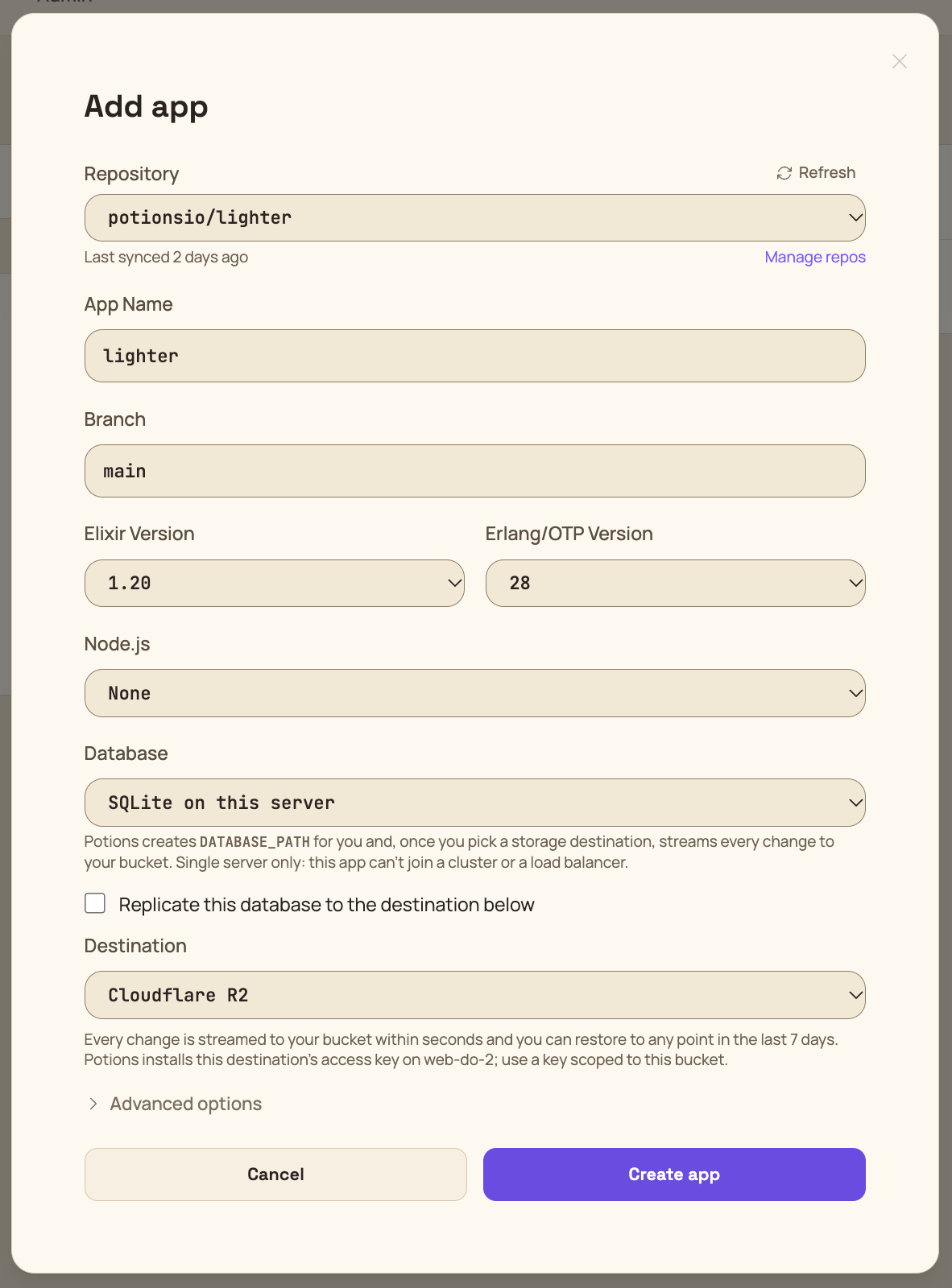
Potions sets DATABASE_PATH=/opt/potions/<app>/db/<app>.sqlite3 instead of DATABASE_URL, and your app creates the file itself when its migrations run on the first deploy.
You choose at creation: an app can't switch between SQLite and PostgreSQL later. To change, create a new app and move the data yourself.
Configuring your app
mix phx.new my_app --database sqlite3 generates a runtime.exs that already reads DATABASE_PATH. Add the last two lines below:
# config/runtime.exs, inside `if config_env() == :prod do`
database_path =
  System.get_env("DATABASE_PATH") ||
    raise "environment variable DATABASE_PATH is missing"

config :my_app, MyApp.Repo,
  database: database_path,
  pool_size: String.to_integer(System.get_env("POOL_SIZE") || "5"),
  busy_timeout: 5_000,
  default_transaction_mode: :immediate
During a deploy, the old and new instances of your app run side by side for a moment and share the file (see Zero-Downtime Deployments). With SQLite's default transaction mode, a transaction that reads and then writes while the other instance holds the write lock fails at once with Database busy. With :immediate, it waits for the lock instead, for up to busy_timeout (five seconds here). The first deploy after you add these lines can still show a few of these errors from the old instance, which is running the old config.
Two more things:
-
Use
exqlite0.36.0 or newer. Older versions bundle a SQLite with a bug that can corrupt the database when two processes use its write-ahead log at the same instant, which is exactly what your app and Litestream do. The deploy log warns if your lock file has an older version. -
Use Oban's SQLite engine. If your app uses Oban, set
engine: Oban.Engines.Litein its config. The default engine needs PostgreSQL.
Deploys and migrations
Deploys work the same as for PostgreSQL apps, and migrations run while the current instance is still serving. Since both instances share one file, a migration holds the write lock while it runs, and the old instance's writes wait behind it rather than fail.
Changing or dropping a column rebuilds the whole table, because SQLite's ALTER TABLE can't do it in place. That's still fast: in our tests a 300,000-row table rebuilt in a tenth of a second under steady writes, with none failing. Only tables with millions of rows need a short maintenance window.
The database file
The app's Database tab shows the file and its health.
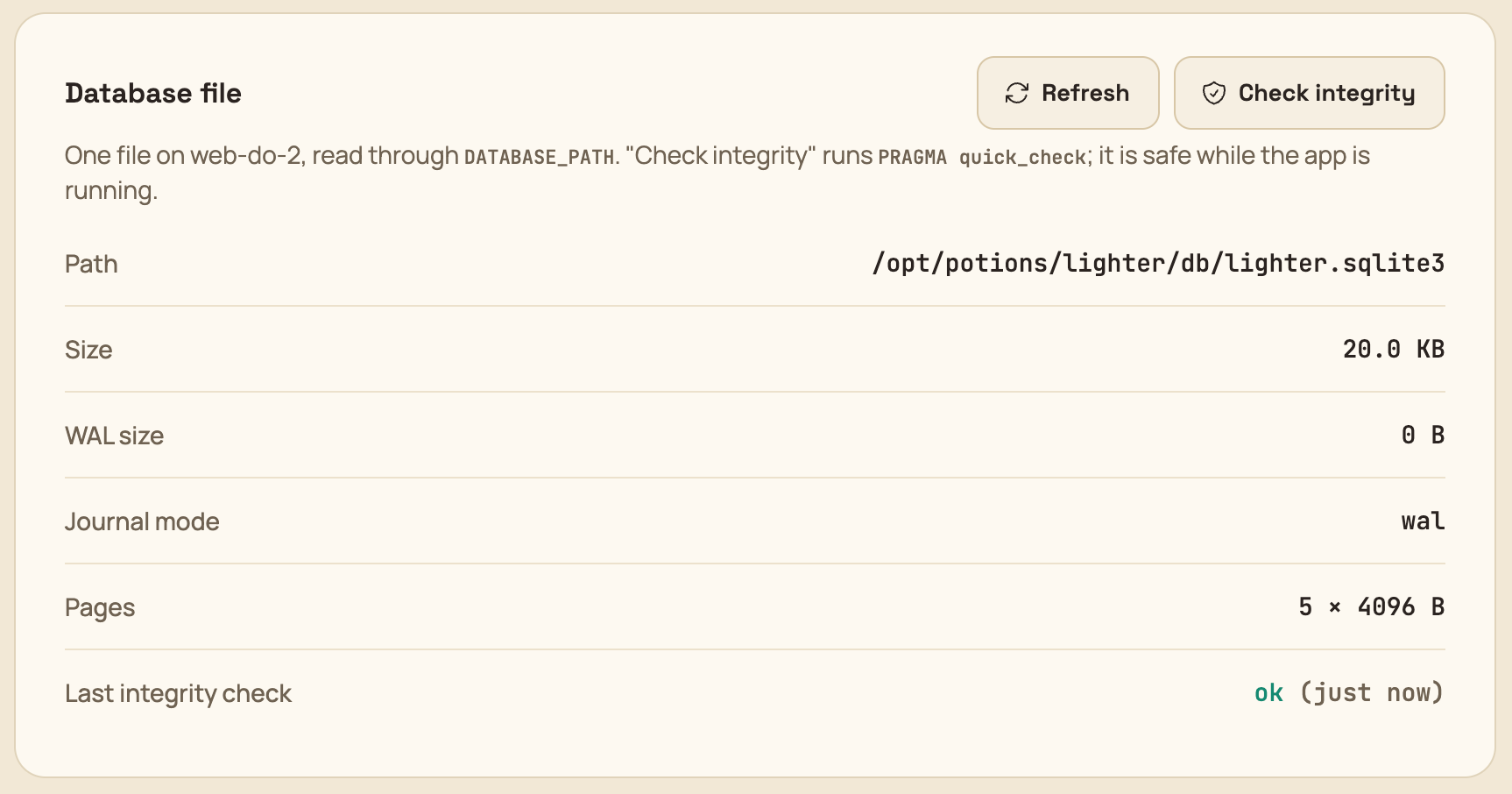
On the server, Potions manages these files:
| Path | What it is |
|---|---|
/opt/potions/<app>/db/<app>.sqlite3 |
The database, with its -wal and -shm files beside it |
/opt/potions/<app>/db/.<app>.sqlite3-litestream/ |
Litestream's local position in the replica |
/opt/potions/<app>/litestream.yml |
The replication config, readable by the deploy user only |
/opt/potions/<app>/litestream.env |
The destination's access key, readable by the deploy user only |
/etc/systemd/system/<app>@litestream.service |
The replication service, running as the deploy user |
/home/deploy/backups/<app>/<app>_<timestamp>.sqlite3.gz |
Daily snapshots |
Continuous replication
Daily snapshots can lose up to a day of changes. With continuous replication, Litestream ships every change to your bucket within seconds and keeps enough history to restore any moment in the last seven days.
Turning it on
You need a storage destination on Backblaze B2, Cloudflare R2, DigitalOcean Spaces, Hetzner Object Storage or Amazon S3, created with a key that can reach only that bucket (see below). Then tick Replicate this database to … when you add the app, or turn it on later from the app's Database tab.
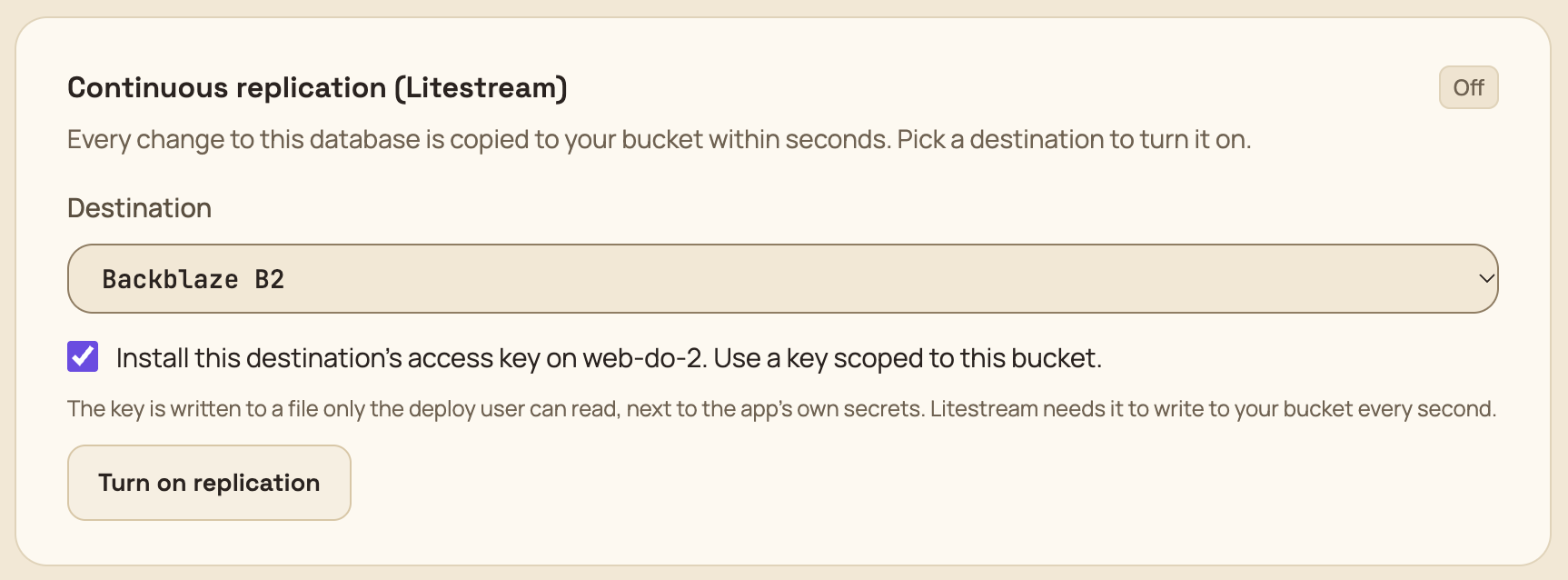
Replication uses the app's offsite storage destination, so the daily snapshots are copied there too.
Use a key scoped to one bucket
Replication is the one place Potions puts a storage key on your server. Offsite snapshot copies use short-lived links, but Litestream writes to your bucket every second, so it needs a real key. Potions keeps it in litestream.env, readable by the deploy user only. Give it access to this bucket and nothing else:
- Backblaze B2: an application key restricted to the bucket, optionally with a name prefix.
- Cloudflare R2: an API token with Object Read & Write on that bucket only.
- DigitalOcean Spaces: a per-bucket access key with read and write on that bucket.
-
Amazon S3: an IAM user whose policy allows
s3:PutObject,s3:GetObject,s3:DeleteObjectands3:ListBucketon that bucket and its objects. - Hetzner Object Storage: keys are project-wide; there is no per-bucket scope. Use a project that holds only this bucket if that matters to you.
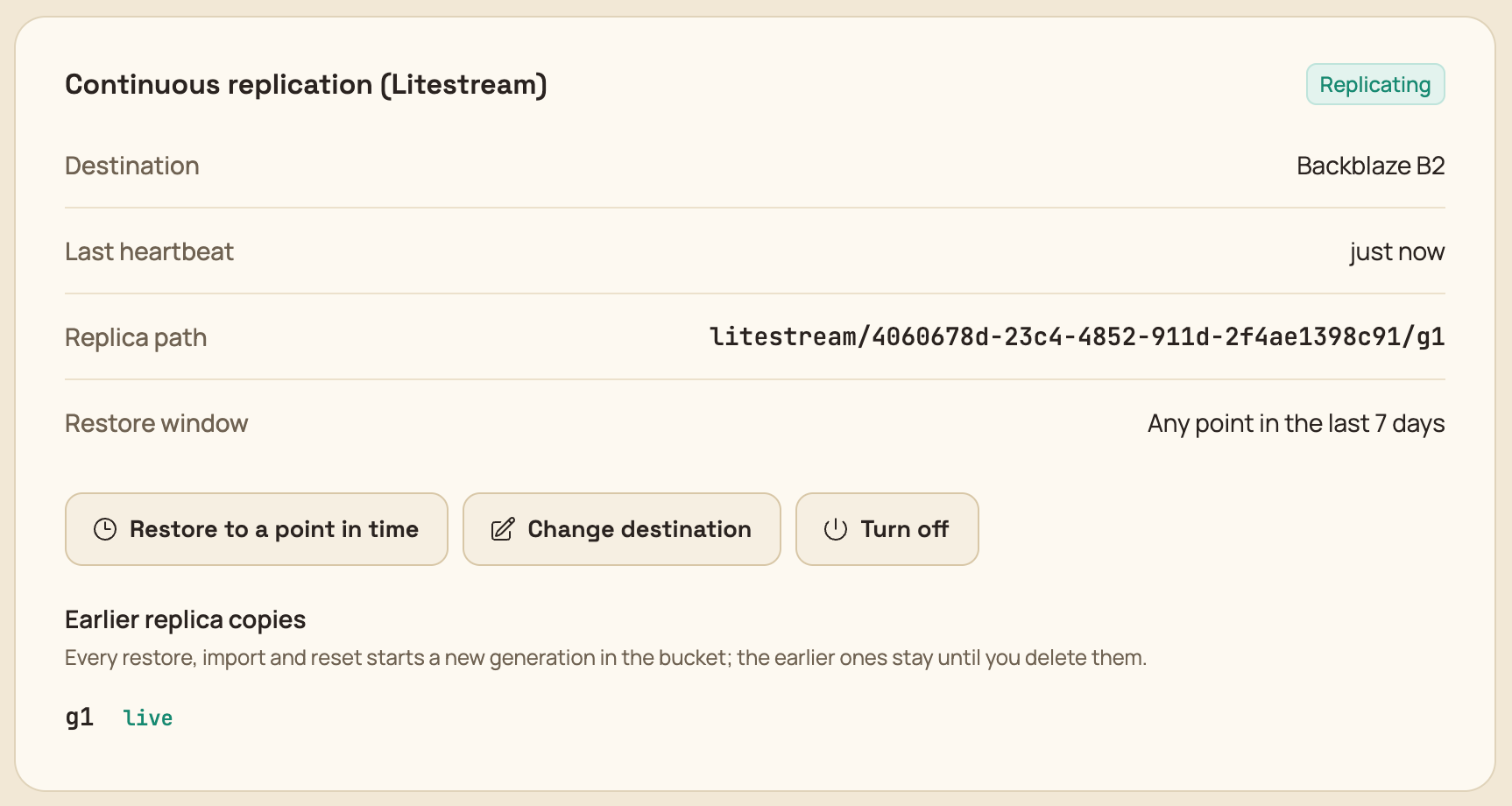
Potions checks the key against your bucket before it starts Litestream. Once Litestream checks in, usually within half a minute, the card shows Replicating.
What it costs
Litestream syncs every second (every 10 seconds on Cloudflare R2, where each request counts against a quota). Measured on a busy app writing about 18 transactions a second:
| Per database | Busy hour | Idle hour |
|---|---|---|
| Requests to the bucket | roughly 3,800 PUT, 3,500 DELETE, 300 LIST | roughly 240 LIST |
| Litestream memory | about 40 MB | about 38 MB |
| Litestream CPU | under 1% of one core | about none |
Backblaze B2, Hetzner and DigitalOcean don't charge per request, so on those you pay for storage alone: a daily snapshot plus a week of changes, a few gigabytes at most for a typical SQLite database, which comes to cents a month. On B2, set the bucket's lifecycle to Keep only the last version of the file, or the files Litestream deletes are kept as old versions and keep costing storage. Cloudflare R2 bills each PUT and LIST, which is why it syncs every 10 seconds. Amazon S3 bills per request too; a busy database costs a few dollars a month there.
Stall alerts
Litestream checks in with Potions every five minutes, but only while its syncs are succeeding. If 20 minutes pass without a check-in, the card shows Stalled, you get a SQLite replication stalled email (at most once an hour), and Potions restarts Litestream once. If that fixes it, the card goes back to Replicating on its own. If not, check the destination's key and bucket; turning replication off and back on with a fresh key fixes most cases.
If your bucket stops working while the app isn't writing anything, the alert comes about 20 minutes after the next write, since Litestream has nothing to send until then. Nothing is lost: changes wait on the server and ship once the bucket is reachable again.
Earlier replica copies
Every restore, import and reset starts a fresh copy in your bucket (litestream/<app id>/g2, g3 and so on), so the history before it is never overwritten. Restore to a point in time only reads the current copy, so after a restore, import or reset you can rewind only as far back as that moment. The earlier copies are listed on the Database tab and stay in your bucket until you delete them there. Each one costs storage for as long as it stays, so delete a copy once you're sure you won't need its history.
Restore to a point in time
On the Database tab, click Restore to a point in time, pick a moment in the last seven days (in UTC) and type the app's name to confirm.
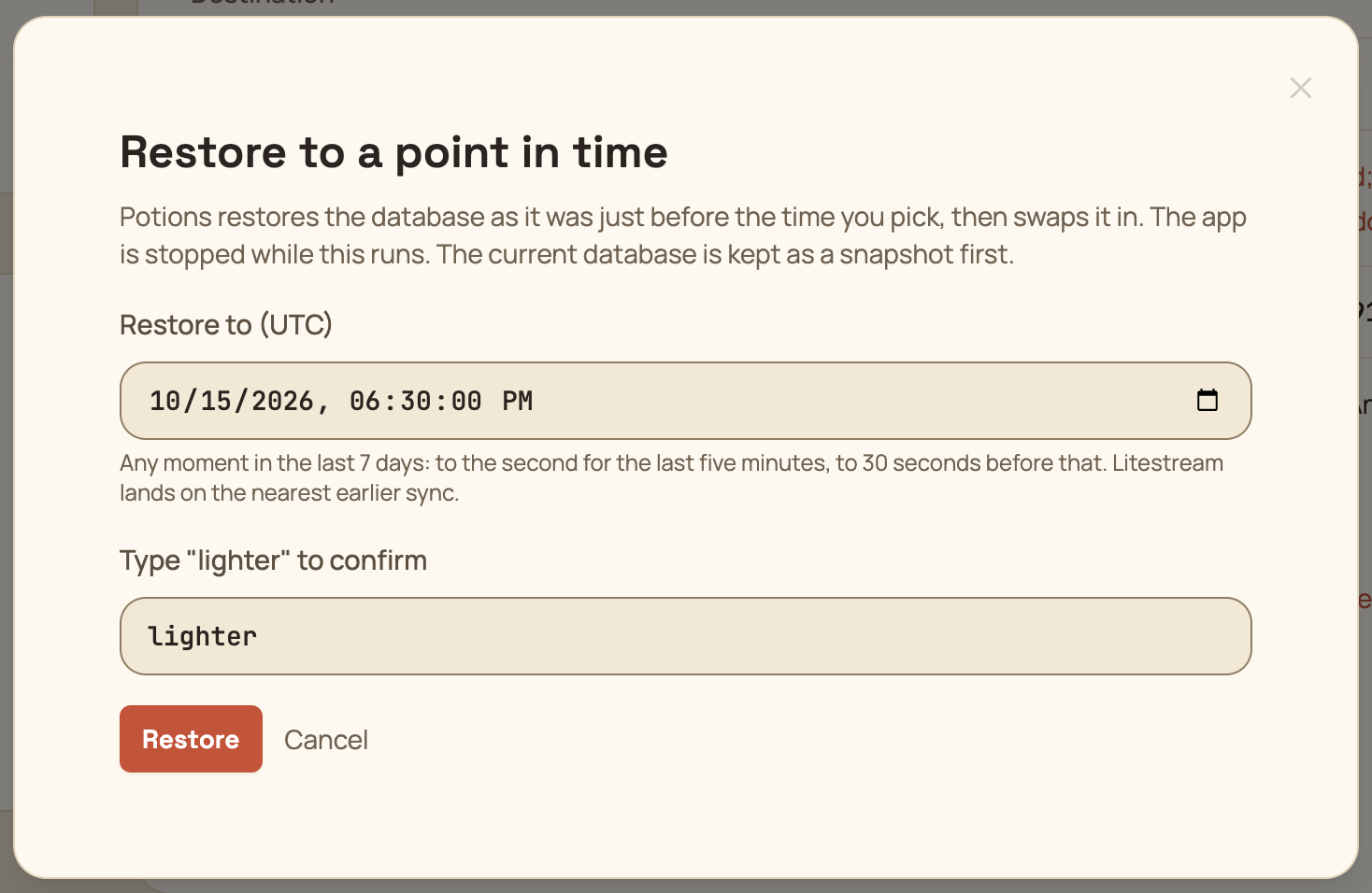
Potions checks that your bucket covers that moment (if it doesn't, nothing changes), snapshots the current database, stops the app, rebuilds the database from your bucket, checks it, swaps it in and starts the app again. For a small database, the app is down for a few seconds.
Picked the wrong moment? The snapshot Potions took just before the restore is in the backups list, and restoring it puts the database back the way it was. A point-in-time restore can't reach back past an earlier restore, as explained under Earlier replica copies. It's worth doing one restore on a test app before you need it, so you've seen the whole thing once.
If you lose the server
Replication protects the data, not the server. If the server is gone, bring the database back from your bucket yourself and import it into a new app:
- Create a new app with SQLite on this server on a new server and deploy it once.
-
On your own machine, install Litestream and write a config with the same replica settings. The Replica path is shown on the old app's Database tab. If the app is gone too, look in your bucket under
<prefix>/litestream/<app id>/; the highestgfolder is the latest copy.
dbs:
  - path: ./my_app.sqlite3
    replica:
      type: s3
      bucket: my-bucket
      path: litestream/<app id>/g<n>
      endpoint: https://s3.us-west-004.backblazeb2.com  # omit on Amazon S3
      region: us-west-004
      force-path-style: true  # omit on Amazon S3 and Hetzner
      access-key-id: ...
secret-access-key: ...-
Run
litestream restore -config litestream.yml -o my_app.sqlite3 ./my_app.sqlite3. Add-timestamp 2026-10-14T09:30:00Zto get a moment in time rather than the latest state. -
Import
my_app.sqlite3from the new app's Database tab, then turn replication on again. The old app's copies stay in the bucket until you delete them.
Snapshots, restores, imports and resets
Everything on the Automated Backups, Offsite Backups and Restoring a Backup pages applies, with these differences:
-
Snapshots are gzipped
VACUUM INTOcopies of the file, taken while the app runs. - Restores, imports and resets stop the app, because the file is the database. Potions snapshots the current file first and starts the app again when it's done.
-
Imports accept a SQLite database file (
.sqlite3,.dbor.sqlite, gzipped or not) or a SQL script (.sql,.sql.gz, as produced bysqlite3 app.sqlite3 .dump). Upload the database file itself, not its-walor-shmfile. - Reset deletes the file. Redeploy afterwards to run your migrations again.
Deleting the app
Deleting a SQLite app removes the file, its snapshots and the replication service. The copies in your bucket stay unless you tick the box to delete them too.